Axis: App Shortcuts on your Lockscreen!

App Shortcuts from your Homescreen!

App Shortcuts from your Homescreen!

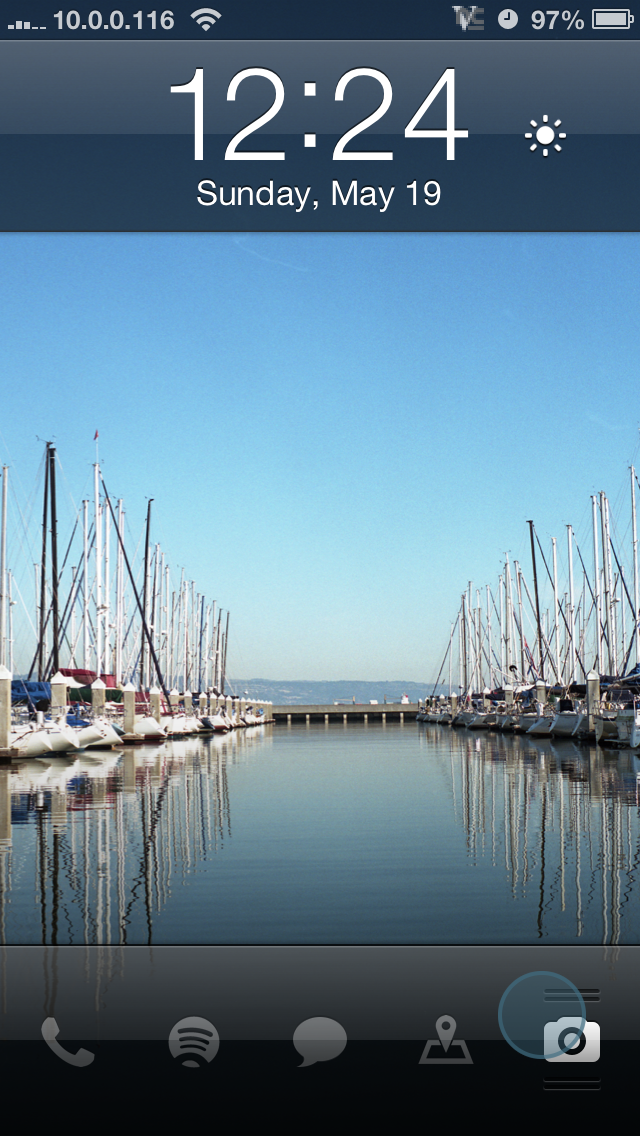
One of the cool features of the iPhone is the camera button on the lock screen. The camera is just a swipe away from the lockscreen, meaning you won’t miss anything while fumbling for your Camera app.

Well, here’s a jailbroken tweak that will allow you to add more shortcuts to your homescreen just like the Camera shortcut for any app you so desire.

The app is called Axis, and it is available from Cydia for $0.99. This means that you need a jailbroken device.

Once installed, open the Settings app and find the Axis settings pane. Change around which shortcuts you want to do what, and the next time you unlock your iPhone you’ll notice that… it looks the exact same. What?

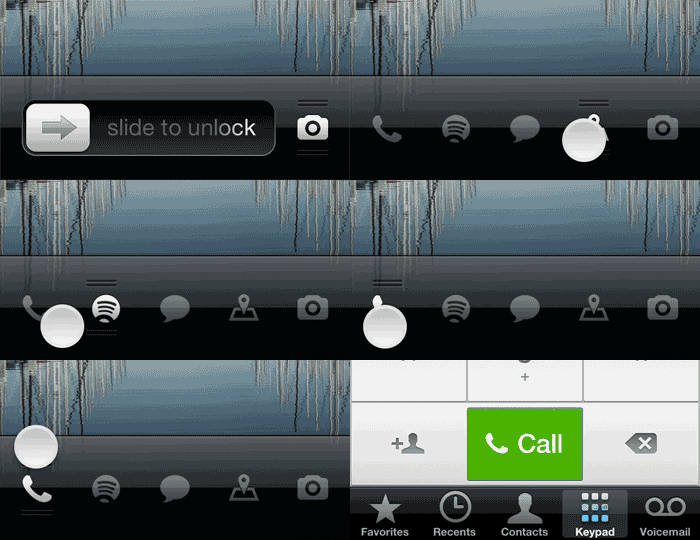
thing3Now put your finger on the little Camera shortcut. You’ll see the “slide to unlock” slider is replaced by all of your shortcuts. Slide your finger over one of them and swipe up to open it.

And don’t worry about your passcode – Axis will request your passcode before you open up an app.

Personally, I like to have my Phone, Messages, Spotify, and Google Maps at my fingertips. You can play around with the Axis settings and customize the shortcuts to any app of your desire. Enjoy!

Google Glass Brings Us One Step Closer to the Dystopia of Wall•E

As you probably know, Google Glass was recently released to a select set of developers for testing. For those of you who don’t, however Google Glass is a pair of glasses that connects to the internet, has a build in webcam, and lets you talk to people and get directions.

This means a few things. First of all, you will soon be able to always have the internet readily available to you without even having to look away from what you’re doing. Secondly, the internet will become such an integral part of our daily lives that we will no longer remember what it was like without it.

Sound familiar? I don’t know if you’ve watched Wall-E, but here’s a basic synopsis: It’s way in the future, and earth was destroyed by the humans. The humans then made a giant space ship and lived on it. It was on this high tech spacecraft that everyone eventually got extremely fat by spending their lives in hover chairs. Every passenger also had a screen projected in front of them, and they were always so focused on what was on their screen that they completely neglected the outside world around them.

walle

In fact, when two people bumped into each other and were forced to interact in real life, it was a new experience for them both.

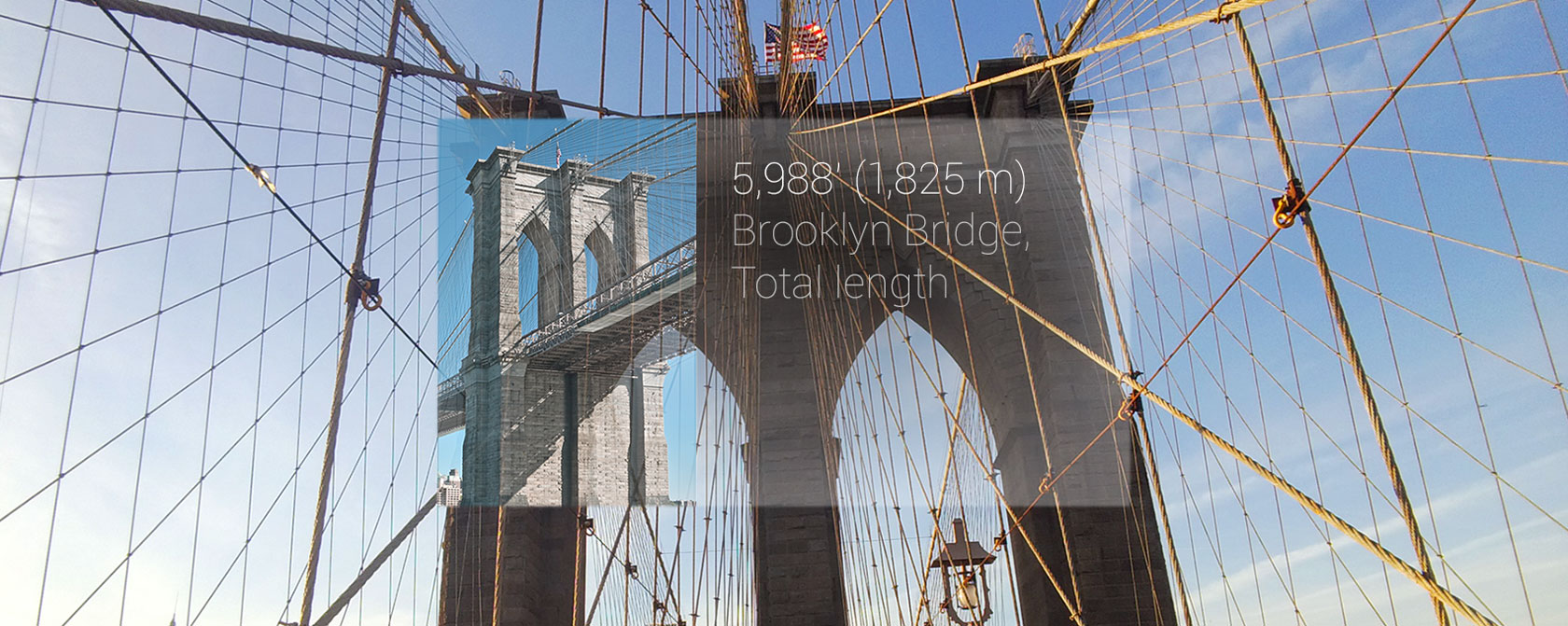
Here’s just a simple overview of what google glass looks like to a wearer. Notice any similarities?

With Google Glass you can also send and receive messages, get directions, find information from Google Now, and even record video and capture your view through a camera – all available in your eye. Soon people will be walking around completely oblivious to the existence of a real world, and augmented reality will become the only reality.

Compare this scene from Wall•E with this demo of Google Glass:

As you can tell, we aren’t quite to the point of complete social isolation. However, the widespread availability of a product like this will bring mankind one giant step closer to the Wall•e-an dystopia that we fear.

How-to: Install Facebook Home on Any Android Device

Screenshot 2013 04 14 22 08 09

In case you missed the news, Facebook recently announced Facebook Home, a home screen replacement for android. In a nutshell, when you hit your Android device’s home button, it will bring you to a home screen where you can scroll through and interact with your friends’ posts.

Facebook announced that it would be available on the Google Play Store for a select few devices including the Galaxy SIII and HTC One X. But what about the rest of us?

Don’t fear! Where there’s a will there’s a way, and thankfully the guy with the will made the way easy enough for even the most basic of simpletons to accomplish.

Here’s how to get Facebook Home on any Android device.

First, open Settings on your android device and go to Security. Check the box that reads “Install applications from unknown sources.”

Second, go into Settings > Applications and find and uninstall any Facebook and Messenger app that you’ve already installed.

Now, go to this blog post on your Android device. To make it a little bit easier, just type in this short link: http://a.swsr.info/YouxEG

GMG TO ANDROID, DO YOU READ ME?! Good.

Now, still on your Android device, click HERE, HERE, and HERE.

In your status bar, you should notice a little download icon. Install all three of the files that you just downloaded simply by clicking them and hitting install.

Next, look in your app drawer and you’ll find Facebook home. Open it and log in, and you’re done!


The success of this process has varied depending on your device, however I have it working wonderfully on my Nexus 7.

Enjoy!

Credits to Modaco founder Paul O’Brien for this patch.

OmniCleanz: Screen Cleaning Never Sucked Less

Computer screens will get dirty. That’s just how it is. Hyper-salivating friends, sloppy dogs, and fingers all contribute to the inevitable film that will build up on your beloved machine.

Nobody likes dirty screens. They just plain get in the way.

Usually, cleaning a screen is a whole to-do: Get some household cleaner and a cloth, turn off your computer, and start wiping. Gosh, I hope this stuff is okay for my screen. Crap, there’s streaks. Circular motion? Back and forth? Why didn’t it get that spot?  In the end, you’ll spend half an hour trying to get your screen clean, and in the end you probably won’t succeed.

Not anymore.

OmniCleanz is a screen cleaning solution that actually works. Using it is really, really simple: Spray it on, polish around until it’s all gone. No need to turn the computer off, no need to go in straight lines across. No more worrying about chemicals damaging your screen or residue being left behind. This stuff just plain works.

A 1oz bottle  will cost you a whopping $7, however you can get a 4oz for $10 and an 8oz for $15.

I recommend getting the 8oz bottle; it’s not much more expensive and will last you for years.

Trust me, you need a bottle of this stuff. If you spend a lot of time in front of your computer, having a clean screen will make your life dramatically better.

OmniCleanz by RadTech

Pastor: Free, Simple Password Management for Mac

PastoriconIf you’ve been reading much about security recently, you know that everyone is saying to never reuse any passwords, and to use a password manager to keep track of all of them. 1Password is definitely the most recommended password manager of them all, as it supports categories, cross-platform syncing, and browser extensions.

But it’s $40.

Ladies and gentlemen, enter Pastor. I’m going to say now that Pastor doesn’t have any of the fancy features that 1Password has, but it has the essentials: password storage and encryption.

pastor

The interface is beautifully simple: You can add an entry that contains a title, username, password, URL, and a note. The database is then saved as an encrypted .pastor file using a master password of your choice.

To see your passwords, open the file, type in your password, and you’re there. You can copy a password to the clipboard for use, or hover over the password to see it.

It also has a built-in password generator.

The app is donation-ware, so donations are encouraged. I don’t usually ask people to donate for donation-ware apps, but this app is so simple and useful that I think it’s definitely worth more than nothing. So if you use this app, please donate something!

Enjoy!

Pastor Homepage

Firefox Jumps on the Mobile OS Bandwagon at MWC 2013

At Mobile World Congress, a bunch of people with ties huddled into a room in Barcelona, Spain to hear what Firefox had to say.

Firefox announced Firefox OS, a new mobile operating system that will inevitably compete against Apple, Android, and the other big names. I’m not going to go into super specific details, but here’s the important stuff:

Firefox OS has secured shipments on many different devices (many of them very cheap) from LG Electronics, Alcatel One Touch, and some other unheard of companies. It won’t be coming to any devices in the US until 2014.

The big headline of Firefox OS is that they’re ditching a typical app store and instead hoping to have an “open market” of HTML5 based apps. In essence, the OS is basically a web browser. “Apps” are actually just links to websites.

Essentially, I think this is a good idea that will succeed in foreign markets but not in the US.

I’ve covered the quality+userbase=userbase++ concept in my post about Google+. In case you didn’t read that, basically, any social networking site’s best feature is more users for people to socialize with. When you have users, other users want to join, and your user base will exponentially grow. This same system can be applied to app stores. For your phone to be successful, you need apps. For developers to make apps for your phone, there need to be users. For there to be users, there need to be apps. The more users you have, the more apps you have, the more users you have, the more apps you have, and so on.

Firefox OS has the edge here because the “apps” are all HTML based (websites). This means that anyone who has ever created a website has the knowledge to create an app for Firefox OS – so there are already 8 million developers for this OS. Removing the learning curve of a new language and new library for a mobile OS will make it much more compelling to developers and, in turn, more compelling to users.

Phones running Firefox OS are going to be released mainly in China and developing cell areas for a fairly cheap price. As a result, I think it will succeed in those markets where iPhones and Androids are often too expensive. I don’t think it’s going to succeed in America as the competition from Microsoft, RIM, Android, and iOS is very hot.

Overall, I think that Firefox OS is a controversial approach to the Mobile OS – websites as apps – and will thrive in less modernized countries, but fail in others.


Our Children Will Have No Idea About Computers

For the past decade, we have undergone a staggering revolution. Suddenly, computers are becoming faster, more powerful, smaller, and most importantly, easier to use.

If you listen to any speech from the CEO of a hi-tech company, there is almost always a reference to usability.

Steve Jobs, Macworld Expo 2007: “There’s no power brick necessary. And they’ll hook up an HDMI cable to their wide-screen TV, and they’ll use wireless networking to get their content. So it’s really, really easy to use.”

Steve Ballmer, Microsoft Surface Event: “We believe that any intersection between human and machine can be made better when all aspects of the experience hardware and software are considered in working together.”

Hugo Barra, Google IO 2012: “Android makes your life easier. Simple tasks should never require complex procedures.”

The list goes on and on. Today’s focus is on making it easier to use your devices so they become an integral part of your life. (Now I’m talking like Steve Ballmer after watching all of those keynotes.)

This evolution both gives and takes.

As devices become easier to use, the knowledge needed to use these devices is less. And when we don’t need to know something, we usually don’t.

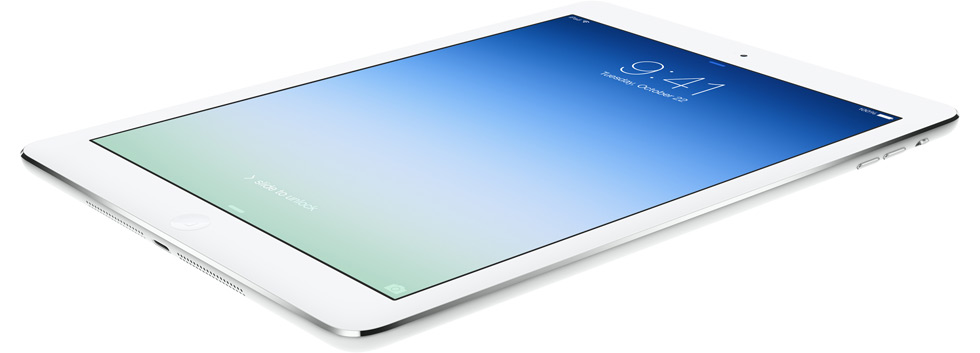
Basically what I’m saying is that as devices become seamless, anyone will be able to use them, and very few will bother trying to know what’s actually going on inside. To prove my point, I give you an iPad – an extremely intuitive, easy to use tablet – and Iggy the cat – a feline with no technical training whatsoever.

If an illiterate kitty is able to use our devices, it is likely that our children will know as much about the device’s insides as Iggy.

This has another consequence. My generation (the millennials) is extremely involved and educated in computers. As the demand for computer engineers increases, there are more and more millennials coming out of college ready to work. The next generation, however, will be far less knowledgable about computers. This means that as the demand for computer engineers increases over time, the supply of young coders will decline. This will mean that either they will become far more valuable, technology will come to a standstill, or we will decline back into the dark ages.

Okay, that might be going a bit far.

But my general point still stands: As devices are easier to use, our children will know less about them.

Thank Goodness: Evasi0n Brings iOS 6.1 Jailbreak to All iOS Devices

Finally, the iOS haxing community has come through. Ever since the release of iOS 6, there has been no jailbreak available for any device past an A4 processor. Not any more! The Evad3rs Dev Team has brought us a Jailbreak for any iDevice running any version of iOS 6. This includes

-iPhone 5
-iPhone 4S
-iPhone 4
-iPhone 3Gs
-iPad with A6X chip (4th gen)
-iPad 3
-iPad 2
-iPad mini
-iPod touch 5
-iPod touch 4

The jailbreak is beautifully straight-forward and available for Windows, Mac, and Linux for an always beautiful $0. 

Read more and download here.

Samsung’s CES 2013 Keynote: Powerful, Green Components, Bendy Displays, and Bill Clinton

SAMSUNGINTRO

Well, once again, here I am at CES. Thanks to *you* (yes, YOU), I had enough traffic to this site to get a press pass – giving me easy access to the CES Keynotes.

This came in handy when I moseyed on past the crowds of “Industry Affiliates,” “Buyers,” and even “Exhibitors” through the security people and into the large door with “Press” above it to attend Samsung’s keynote. I was a little late to the party – I had no idea that press was allowed in an hour early. A fifth row seat isn’t too bad, though.

Samsung’s CEO Stephen Woo ran the show and talked about three main things: Processing, Memory, and Displays.

Processing

EXNOS5OCTA

The main focus of the processing portion was the new Exynos 5 OCTA
processor. This mobile processor has amazing power – enough to accomplish web searches, a restaurant finder, a GPS, and playing an HD video all simultaneously on a tablet. It also has twice as powerful 3D rendering – as demonstrated by Glenn Roland from EA and a scarily realistic Need for Speed game. The most impressive part of this processor, however, is that it uses 70% less energy than it’s predecessor. Thanks to Samsung’s partnership with ARM, the Exynos 5 OCTA features a technology called “Big Little” (how creative). Essentially, the processor has two sets of 4 cores: One set is of smaller Cortex A7s for simple, efficient browsing; The other of large, powerful Cortex A15s for complex 3D rendering and other processor-heavy tasks. This means that when you’re simply browsing the web, you’re not using a multitude of battery power, but when you open up Need for Speed you have a processing powerhouse at your fingertips.

With this new processor, Samsung showed how their Galaxy Camera would be able to support a 13 megapixel sensor. Woo then showed a video that essentially said that there is too much data on the internet, and it’s all a result of cats (and people making videos of them).

Memory

This section of the keynote was relatively boring. All of the data (that is the result of cats) is stored in data centers across the world, and if every single data center switched to Samsung’s solid state drives, enough energy would be saved to power New York City for 6 months.

Displays

Photo courtesy of Getty Images

Brian Berkely Bends a Screen (Getty Images)

This is the area where Samsung got some real cheers from the crowd. Woo brought out Brian Berkely from Samsung’s San Jose Display Lab. Berkely started off talking about how displays have been undergoing a “pixel war”: All of the display manufacturers are battling to get the most pixels into the smallest amount of space. Samsung’s 10.1″ display has the best colors and highest pixel density of any tablet display ever made – 300 PPI. That’s the same resolution of a standard printer.

Berkely went on to talk about how OLED technology gives the brightest, most vivid displays. “They’re super thin and lightweight. Because OLEDS produce their own light, they don’t require thick, heavy, power consuming backlight. And now, thanks to Samsung technology, they can also be flexible.” He brought out a screen prototype and bent it around. Woo then showed a video of a phone that flips open to reveal a large tablet surface.

Then someone from microsoft came out and talked about how samsung is amazing blah blah blah, blah blah, blah blah blah. He showed off Windows Phone on another bendy display. Then there was something with xbox. Here’s a link to an article written by someone who actually cares about it.

Bill Clinton

Bill Clinton?

Bill Clinton?

Mr. Woo went on talking about how this new technology should be available for all, and transitioned into the “Samsung Hope for Children” program – providing technology-rich education for third world countries. He then showed a video about the Bill Clinton foundation. And lo and behold, Bill Clinton walks out.

“When I became president, the average cell phone weighed five pounds… There were a grand total of fifty sites on the entire internet. Fifty. More than that have been added since I started talking.”

Then he went on talking about how technology has helped him, and he then somehow transitioned into talking about gun control.

My Thoughts

Samsung’s component announcements will mean very little to the consumer – until a product with one comes out.

Samsung’s display announcements will mean very little to the consumer – until a product with one comes out.

Samsung’s memory announcements mean very little to the consumer and only really appeals to manufacturers.

But in the end, showing off the components in the keynote gives consumers a look into the future of what might be possible using those components.

What we can really take away from this is that the technology exists to have extremely powerful devices with long battery life, energy efficient data centers, and crazy displays.

Oh, and I still don’t understand why Bill Clinton was there.

Gizoogle: A Gangsta Google Search

Screen Shot 2012-12-14 at 12.42.34 AMGoogle Search is a wonderful utility: type in what you want, and you’ll probably get it.


Well, Gizoogle is a parody on Google searches that really spruces up the search results. It has an alternate dictionary which it switches out various words in the search for. Examples include (but are not limited to) hair=afro; love=ludd; good=phat.

The best part is that the search is still completely accurate. If compared to a Google search for the same thing, the results will be identical (other than Gizoogle’s alternative dialect). This is because Gizoogle still uses the Google Search API, meaning you’ll get Google’s same accurate and reliable search results, just in a different dialect. For example, if you type “good morning geek” into Google Search, the first result will go something like this:

 Here’s how to turn it into an “I’m Feeling Lucky” box, so that if you type Good Morning Geek into the bar, it will take you straight to GMG!

Here’s the result for the same search on Gizoogle:

Here’s how tha fuck ta turn it tha fuck into a “I’m Feelin Lucky” box, so dat if you type Dope Mornin Geek tha fuck into tha bar, it will take you straight ta GMG, muthafucka!


When a link is clicked, you’ll get the Gizoogled translation of the page, but it will still be the correct page. One of my favorites for this is the Alpaca article on Wikipedia. Normally it will say:

Alpacas are kept in herds that graze on the level heights of the Andes of southern Peru, northern BoliviaEcuador, and northern Chile at an altitude of 3,500 m (11,500 ft) to 5,000 m (16,000 ft) above sea level, throughout the year.[1] Alpacas are considerably smaller than llamas, and unlike llamas, they were not bred to be beasts of burden, but were bred specifically for their fiber. Alpaca fiber is used for making knitted and woven items, similar to wool.

The Gizoogled translation:

Alpacas is kept up in herdz dat graze on tha level heightz of tha Andes of southern Peru, northern BoliviaEcuador, n’ northern Chile at a altitude of 3,500 m (11,500 ft) ta 5,000 m (16,000 ft) above sea level, all up in tha year.[1] Alpacas is considerably smalla than llamas, n’ unlike llamas, they was not bred ta be beastz of burden yo, but was bred specifically fo’ they fiber. Alpaca fiber is used fo’ bustin knitted n’ woven items, similar ta wool.

Enjoy! http://gizoogle.net


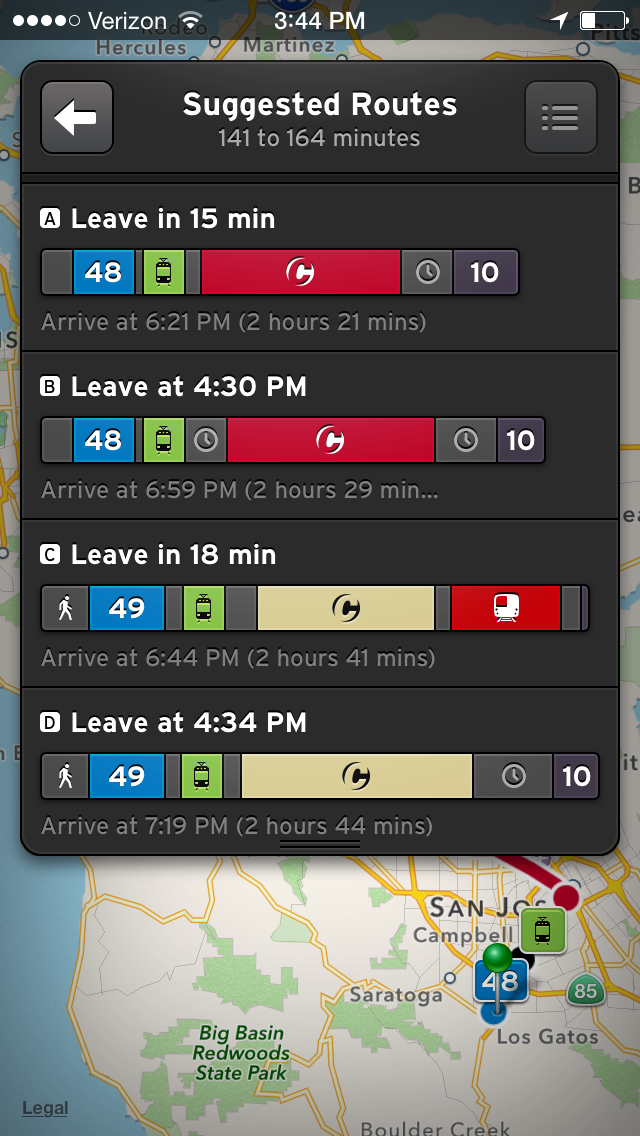
Google Maps for iPhone is Here!

With the release of iOS 6, the biggest complaint was the new maps app. And I don’t just mean people were whining a bit; I mean that it was such a big deal that many people refrained from updating to iOS 6 just for the bad maps. It was such a big problem that Apple even created a special section on the featured page of the App Store with alternative map apps. And it’s not just the Apple addicts noticing – a slew of memes have popped up mentioning iOS maps as well.

There’s been quite the uproar, but finally Google has fixed our problems. Introducing the official Google Maps for iPhone!

I know what you’re thinking: Isn’t that what we had before iOS6? Well, kind of. Before iOS 6, Apple had created their own maps app that used the Google Maps API. This new Google Maps app is completely built and maintained by Google, no Apple involvement.

The app is just how you’d expect it to be: A nice, clean google interface with sans-serif fonts and light colors. The zooming is very smooth and font sizes change like water. The “3D” effect is less than that of Apple’s maps, but it is still adequate for getting a general idea of the terrain.

The app also comes with Google’s voice navigation, which is a nice addition for many.

Overall, it’s what you’d expect – a good, solid, full-featured maps app that is a free alternative to the laughable iOS maps.

Click here to download it from iTunes. 


Google Kills Free Apps for Business

Google has announced in a blog post that they are disposing of the free version of Google Apps.

For those of you who don’t know about Google Apps, it is essentially the suite of Google Applications (Gmail, Calendar, Contacts, Docs/Drive, etc.) but tailored to fit a custom domain/business. I personally use Google Apps for maxswisher.com, and I must say – it’s great. I love having the spam filtering, organization, and amazing reliability of Gmail under my own custom domain. It’s a wonderful system which I love dearly.

And thankfully, this update to the pricing plans won’t affect any current users – meaning that I won’t have to say goodbye to my beloved account.

For new Google Apps signups, the cost will be that of Google Apps for Business – $50/year per user. This is fairly pricey for an individual, but the services were created for businesses in the first place.

Although I don’t like it, I believe that this is a very sensible decision for Google. Think about it from Google’s point of view: Here are businesses paying $50/year for a full customizable suite of high-quality business applications, and there’s individuals creating accounts just so they can have gmail at their own domain (I am guilty of this). As quoted from Google’s blog post:

With focus we’ll be able to do even more for our business customers. We’re excited about the opportunity to push Google Apps further so our customers can do what matters most to them…