
How to Wirelessly Transfer Files to a Galaxy Nexus

As you may know, the Galaxy Nexus does not have an option for USB Mass Storage. To transfer any files directly from a computer to the phone, it is necessary to plug it in with a USB Cable and open Google’s proprietary Android File Transfer application.

But what if you don’t have a cable? What then?

There’s a couple things you could do. Email works for smaller files, however for larger files things may go slowly and fall apart.

If you have a server or CloudApp or Puush account, you could upload it and then email  the link to yourself. This would work usually, however the Galaxy Nexus’s download manager often will download most of it, then suddenly fail at the end.

There’s also Bluetooth, which is often unreliable. I can’t transfer any files between my Mac and my Nexus over bluetooth, as it gives me a random warning which is just not worth trying to figure out.

There’s really only one good way: DROPBOX.

In case you don’t know, Dropbox is a service that allows you to have a folder on all of your computers that constantly stay in sync. When one file is added on one computer, it magically appears in the Dropbox folder of all of the other computers too. You have 2GB of space, and the real important part is that they have an Android app as well.

Simply open your Dropbox folder, transfer the file in, and wait a few moments for it to upload to the cloud. Then, open the free app on your Nexus. Tap the file that you just uploaded from your computer, and it should download and open. Voila, that’s how to wirelessly transfer a file from your computer to your Nexus without using bluetooth, servers, or anything else that’s ridiculously unreliable and confusing.

Download Dropbox for your Computer

Download Dropbox for Android

Instagram Bought by Facebook for $1 BILLION

Remember Instagram, the fun little quirky photo sharing service that just released an Android application?

As you may know, they’ve been growing in size since their launch and Instagram has become an extremely large and popular service.

Because of this, it was inevitable that they would eventually be purchased by an extremely large company… and who better than facebook?

First of all, $1,000,000,000 is a lot of money. A LOT. I didn’t really think that Instagram could be worth that much.

Second, a little note to Zuck and the whole facebook crew: Please, please, please, please don’t screw this up. Please don’t force it to be built in to the facebook interface. Don’t try to stick instagram into facebook, you’d be doing everybody a disservice. Also, don’t just get rid of the entire thing to eliminate competition.

We will have to see what Facebook is hoping to do with this photo-sharing giant, and I honestly hope that they don’t screw it up.

Instagram for Android

Finally. At long, long, long, long, long, long, long last. Instagram has released their official Android Application.

In case you don’t know, Instagram is a photo-sharing platform which incorporates different fun-style effects and third party sharing into the mix. It’s been available for the iPhone since late 2010 and has collected over 30 million users. Yeah. Whow.

There were many speculations of an Android App over the past while, but no confirmed release date.

Now that Instagram has released their Android version, they are well on their way to a giant user base. After all, Android does have more of a market share than the iPhone.

As far as the application goes, it’s the exact same as the iPhone with one important exception: The android application does not have the tilt-shift function, a popular option among Instagrammers. (Tilt-shift is where a selected part of the photo is in focus and the rest is not.)

If you are an android user longing for some instagrammal love, click here to download the free app for android. Enjoy!

Bananapress: a super-simple CMS

WordPress is wonderful. People love to use it, and some extremely beautiful and large sites implement it as their backend.

But then there’s those who get tired of wordpress. It works, well, yes. But it is a bit heavy, it can be a bit slow, and it’s not the lightest thing in the world.

So you try our Drupal, but that’s just disgusting – the interface is impossible to use, it has high requirements, and the error messages are nearly indecipherable.

There’s plenty of other CMSes, but they’re all a bit blech. So I decided hey, why don’t I just make my own?

That’s why I made bananapress. It started as just for personal use, then I realized that I could easily create an installation script and make it open source for all of you to use.

Bananapress is a bare-bones simple CMS. It only requires PHP v5.2 and a MySQL Database. Unzip the file, put it in the root of your domain, then go to http://yourdomain.com/install. It will give you instructions on editing the config.php file (I’m hoping to make that webpage be able to edit the configuration file, but I’m not familiar with write and reading text files in PHP). Put in your database information in the config file, then click next on the install page. It should configure a database for use with your site.

Now, you can go to http://yourdomain.com/login.php, enter the password that you entered in the config file, and write and save your first post. Voila, it should show up on your homepage.

And that’s it! I’m working on getting an editing page and some more documentation for it, but it’s a work in progress. So far the feedback has been good.

Feel free to check it out for yourself by going to http://bananapress.co.cc !

Why Google+ Is Failing

When I was at the Teens In Tech conference, a speaker told me this:

For your product to succeed, it either must be a new idea or be better than a previous one.

It makes sense – why would anyone switch to your product if there’s already one that does the same thing? Your product needs to have more to offer so people would actually have a reason to “convert.”

Unfortunately, there are few tech companies that succeed with new ideas – so a lot take old ideas and refresh them to make ‘em better. For example, every Apple product ever created; The iPhone wasn’t the first phone in the world – it was just better than the rest; The iPod wasn’t the first small music player ever created – it was just better because it could hold so many more songs and didn’t need CDs or Cassettes.

Okay, so lets take a look at Google+. It’s a great social network that has tons of new features that are definitely in demand. Who would wan’t multi-person video chat, along with a slew of easier to manage privacy features?

“Okay, so Google+ “better” than facebook – but why isn’t it succeeding?”. This is a question I’ve been asked many times.

Lets think about it in terms of a lamp (yes, the one on your desk). First, we have our facebook: A standard lamp with a normal switch that emits very bright light. Then, lets look at our Google+: A large, fancy lamp with pretty designs on it, a bendable neck, and voice activated controls – but we forgot to add in a socket for a lightbulb.

In this analogy, our Google+ Lamp is “better” than our facebook lamp – but it doesn’t do what people want to use it for (illumination).

Lets take that analogy back to Facebook and Google+. What is the real reason people ever go on facebook?

The real reason is their user base. There are very very few people who aren’t on facebook, and there are very very few people on Google+. Google+ has all the new doohickeys and thingamajigs, but it’s forgetting the light bulb (user base).

And because nobody is on Google+, nobody wants to join – they’re satisfied with Facebook and their 1500+ “friends.” What’s the use of having a ten person video chat if there’s not even ten people on Google+?

Google+ is a good idea, with a perfect execution – but the social networking field has been completely dominated by Facebook and Twitter. It’s unfortunately like this for many social internet startups: many of them rely on a user-base to be the least bit useful, and without a user base you won’t be able to expand your user base. You can get a user base by having a user base, because if you have a small user base people want to join to be part of that user base, which makes more people want to join etc.

Hence the reason most social startups fail. Gaining a user-base is a domino effect, with the first domino being a giant brick wall. You need to hope that something will come and knock it over, as getting the domino train started is definitely the hardest aspect of the whole process.

Goodbye, Old Twitter

Image Credit: Mashable

A little while back, Twitter started to slowly roll out a new version of the Twitter web interface to their users. Reactions were mixed; some loved it, some hated it, and some really just didn’t care.

For the haters out there, there was an option to switch back to the old version. However, Twitter is going to be removing the old version of the twitter web interface over the course of the next week – not that many users will notice the change, as the majority of twitter users have already switched over.

Personally, I am indifferent to the new Twitter web interface; it’s pretty and all, has some cool effects, and nicer fonts and rounder edges. The previous Twitter interface was simply getting old, and I believed it needed a revamp – which is exactly what we got.

Users of “old Twitter” will get a message saying that they are soon going to automatically upgraded to the new version of twitter, and twitter also announced this publicly on their twitter page. It was bound to happen eventually, and I guess the day (or week) has arrived.

Alfred

A wonderful little app with the worst name they could come up with.
Alfred is a Spotlight Alternative. It is similar to quicksilver, but is quite a bit simpler.

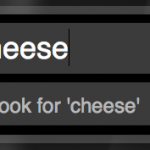
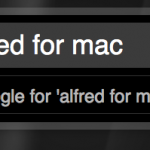
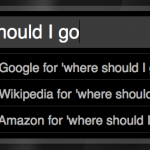
Basically, it is a plain text box that opens on a key command. you can type to search through your hard drive, but if there are no files then you can choose to search through google, wikipedia, or even amazon.

In addition to searching your hard drive alfred can search numerous things.

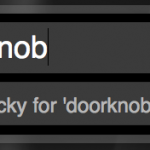
For example, you can type “lucky doorknob” an it will open the first google result for a search of doorknob.

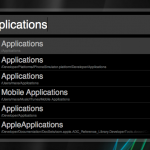
You can also do things like type in a URL and it will open in your web browser. In the screenshots is a list of some of the functions included with the app. You can also create your own which comes in handy if your favorite search engine doesn’t come with Alfred by default.

Now although those functions are useful, it prevails over spotlight mostly because if it’s speed. Everything happens faster for some reason, but let me just say, I like it.

Alfred is free and highly customizable when it comes to interface. Download it from alfredapp.com.

Screenshots:

[BUGGED] Favorite→RT

You may not know this, but it is possible to favorite a tweet. It’s supported in all twitter clients and the website.

Unfortunately, it is difficult to see what tweets a user has favorited (I haven’t been able to). But this service from my friend Spencer Schoeben makes it so a [yourtwitternamehere]favs account will retweet every tweet you favorite.

For this example, I will be using the TeenTechie twitter account.

Step 1

The account that will have the favorites is considered the “Primary account”. For this example, that would be TeenTechie. We need to create the favorites account that will retweet the tweets that TeenTechie (the primary account) favorites. That account should be [primaryusername]favs (TeenTechiefavs). Go to twitter and create the account.

Step 2

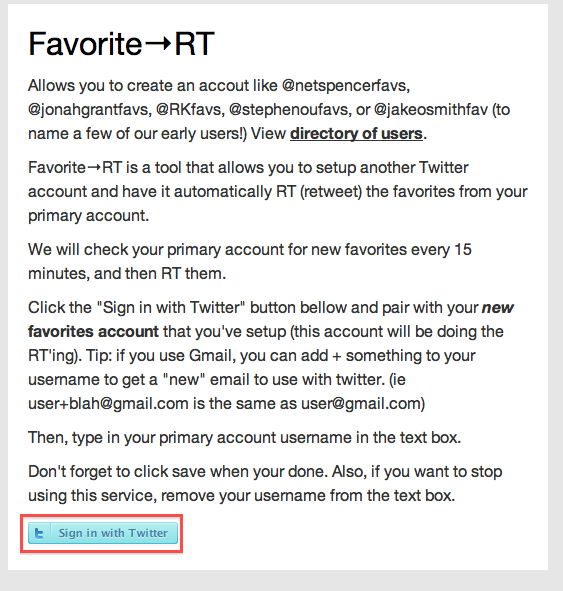
Go to http://spncr.me/favrt and click Sign in to Twitter at the bottom of the page.

Step 2

Frown in disappointment about the errors that occur.

:(

Don’t worry, the problem should be fixed in a little bit. Once it is fixed, I’ll write a post that shows you how to create the account SUCCESSFULLY!.

In the meanwhile, save that [primaryusername]favs account, and while you wait, you might want to create a picture by taking the Primary account’s photo and putting a star in the bottom right (to denote the favorites account).

Thanks! I’m sure it will be fixed soon, Spencer says he’s ON IT and fixing it ASAP. Now smile in happiness for what is to come. :D

picplz

We all have twitter accounts.

What is twitter for? It’s for sharing what you are doing right then in less than 140 characters.

picplz is similar, but it uses pictures with tags and captions instead of just text.

Sorry guys, but the app is only available on android. :(

So here’s how it works:

Open up the app and you are instantly greeted with the view of your phone’s camera. Tap the camera button to take a picture. If you have foursquare configured, tap the venue that you are at. You can then tap someone/something to tag them in the photo. Then you can click edit details and enter a caption and decide which services you want to post it to (twitter and foursquare). Then click post and your picture will be posted! This is great because you can see which pictures you’ve taken at different foursquare venues. Your profile will be located at picplz.com/user/username. Check mine out here!

How-to: Get Facebook Chat in iChat

Many of us use Facebook, and have probably noticed that there is a chat function. Also, man of us use AIM in iChat. Personally, there are always more people on facebook than on AIM, so I can chat with a ot more people. Here’s how to integrate it with iChat so you don’t have to login to facebook every time you want to chat with someone or let someone else chat with you.

Luckily, Facebook recently launched their Jabber thingy, which has done well.

In iChat, click in the menubar iChat>Preferences. Then click accounts, where you should get a tab like this.

The Accounts preferences is shown here.

Now, just click the little + in the bottom left, and you are shown this screen.

For account type, select Jabber.

For the Account Name, you need to find some info.

Login to facebook.com and click on profile in the top right. It should go to your profile page with wall postings and your profile picture. Next, look in the URL bar of the browser. It should say http://facebook.com/user.

What is says where user should be is what you put in front of @chat.facebook.com. So for this example, the Account Name would be user@chat.facebook.com.

Your password is your password that you use to login to facebook all 5 times a day.

Now click done and wait. The new buddy window will appear, but it will say connecting. It may take a while for it to connect, and times may vary. for me it took about 45 seconds, others about 5. Whatever, but it still works!

After is connects, you will see all of your online facebook friends. Double-click a friend that has a green dot next to it and start chattin it up!


Tweetie for Mac

Looking for a balance between the minimalistic Twitterific and the feature rich TweetDeck?

Well, you have found you match, and it’s name is Tweetie.

Tweetie is a simple yet feature rich free app for Mac. The free app is ad supported, but DON’T WORRY! The ads appear in-line with tweets, and use the same format, and don’t flash at all! The ads are provided by Fusion, and I’m sad to say that I’ve actually clicked on many of the ads because they looked interesting, and I actually bought an iPhone app that was being advertised.

Start out by looking at the interface.

Sleek, simple, stylish interface!

As you can tell, these are simply the tweets of people I follow. In the left you can click the variety of icons, that are self explanatory [but just in case, @= replies, the envelope=DMs, the magnifying glass=search].

If you look at the replies (@ symbol), you can see there is a blue dot above it. This indicates that there is a tweet in that category that I have not read. Once I have read the tweet the dot disappears.

Lets take a look at the replies tab [just click on the @ to get there].

Same sleek interface, but filtered everything but replies.

You can reply to a tweet at anytime by clicking the curvy arrow at the top right of each tweet. You can also repost (AKA retweet) a tweet by right clicking on a tweet ad clicking repost. You can set if it does ______(via @_____) OR RT @_____: _________ I prefer the RT @____:__ because it is more commonly used. You can change that in the preferences.

The DM (envelope) tab is quite interesting.

As you can tell, DMs are sorted into conversations with each tweeter (tsk-tsk) you have sent and received DMs with. Click on a user to see your conversation with them.

Almost like iChat!

You can click the big reply button in the top right to DM someone back.

The search function is also very interesting.

Search for Tweetie by entering tweetie on the previous screen and pressing return!

To search, click on the magnifying glass. In the search box that appears in the top right, enter a term (in this case it was tweetie), and press return. the box will disappear and tweets for your search will appear in the window. Visit any other tabs and come back to the search and the search term will disappear!

Another great cool feature of search is having multiple searches in different windows.

This function only available in searches.

After you open it in a new window, go back and enter another term. The window will remain with the same search terms, and you can open as many windows (which means as many searches) as you want.

Plenty of searches for popular twitter clients!

Also, did I mention you can use boolean search terms with the search (such as AND or OR)?

Wow, I almost forgot

1 to create a tween, just press Command-N. a small window will open where you can type anything. Type in a URL and press Option>Command>S to automatically shorten it. Then, just press command>return and the tweet will be off. You can also get a bookmarklet for your browser so on any page, you can click on the bookmarklet and a tweet will open with the URL in it. Cool! Also, you can even assign a global hot-key so in any app, anywhere, you can press this key sequence and the new tweet window will open, and not bring all of the other tweetie windows with it. Awesome!

Among all of these great things there are a couple of extra things that Tweetie does.

Tweetie has seamless support for multiple accounts, so you can have it look like this:

Click on the other icon to see replies, dms, etc. for that account!

Also, you can enable a small menubar icon which does one simple thing: indicate when you have unread tweets. When you have unread tweets it looks like this:

Click on the icon to show the tweetie window!

But when you have no unread tweets it looks like THIS:

Blends in fine!

I hope you enjoy tweetie, and for $20 you can disable ads, which by the way look like this:

Simple, interesting, in-line ads.

Ad-supported Download

Registration Homepage

Homepage

Flock

I think some people may be wondering, what is my favorite freeware web browser? Well, after searching all over the internet and downloading almost every known web browser for Macs and PCs (don’t worry PC owners, all of the web browsers that were only for Mac were horrible).

What I want from a web browser (in priority order)
5. Ease of use
4. Social networking compatibility
3. Overall compatibility
2. Speed
1. Easy to use interface.

The story- when I had a PC, I was too very interested in trying out new software, particularly web browsers. Internet was my thing (and it still is). I had used Firefox, but before that I tried a web browser called Flock, which I had enjoyed.
Recently, I was trying Firefox to see if I liked it as the best. and I thought I liked it as the best. But while the Firefox post to my blog was stil in draft form, I remembered about Flock. And I finslly rediscovered it and I named it the best. It had everything I ad listed up there as for expectations. Especially speed. Once it finds the server, it can just suck it right out of there, a little under the speed of light (literally).
Also, it is really easy to use. But its biggest part is connecting with social networks. You can connect to blogs, photo sharing services, youtube, and almost everything else in existence. If you connect to a blog service, you can blog straight from flocks blogging interface, which still works while offlne, where you can save as a draft for publishing and editing later on. In fact, I am using the Flock blogging application to create this post.

Homepage

Download!
Windows
Mac
Linux